Creating TOMs
Last updated: May 25, 2026
Technical and Organizational Measures (TOMs) are safeguards mandated by the General Data Protection Regulation (GDPR) to protect personal data. TOMs help organizations protect personal data, reduce the risk of breaches, and ensure compliance with GDPR, thereby maintaining the trust of individuals and avoiding legal penalties.
Types of TOMs
Technical Measures involve using technology to protect data, such as:
Encryption: Securing data in transit and at rest.
Access Controls: Limiting data access to authorized personnel only.
Regular Software Updates: Keeping systems up-to-date to protect against vulnerabilities.
Network Security: Using firewalls, intrusion detection systems, and other tools to protect against cyber threats.
Organizational Measures involve policies and procedures within the organization, such as:
Data Protection Policies: Establishing rules and guidelines for handling personal data.
Employee Training: Educating staff about data protection and security practices.
Incident Response Plans: Preparing procedures for responding to data breaches.
Data Minimization: Collecting only the data necessary for a specific purpose and retaining it only for as long as needed.
Overview page
The TOMs overview provides an initial glance at the protection goals and policies found in both the draft folder and the active folder.

In the TOMs overview, we differentiate between Draft and Active. Initially, TOMs are placed in the Draft section and are not yet considered "valid." Subsequently, the responsible person can use the "Set Active" button to move them to the Active section, making them officially part of the TOMs list.
Protection Goals Listing: On the left-hand side, protection goals are listed. These goals form the basis of the TOMs that are assigned to them. You can find a comprehensive catalogue of TOMs to choose from.
Once active, they can be formally declared to third parties.
Detail view page
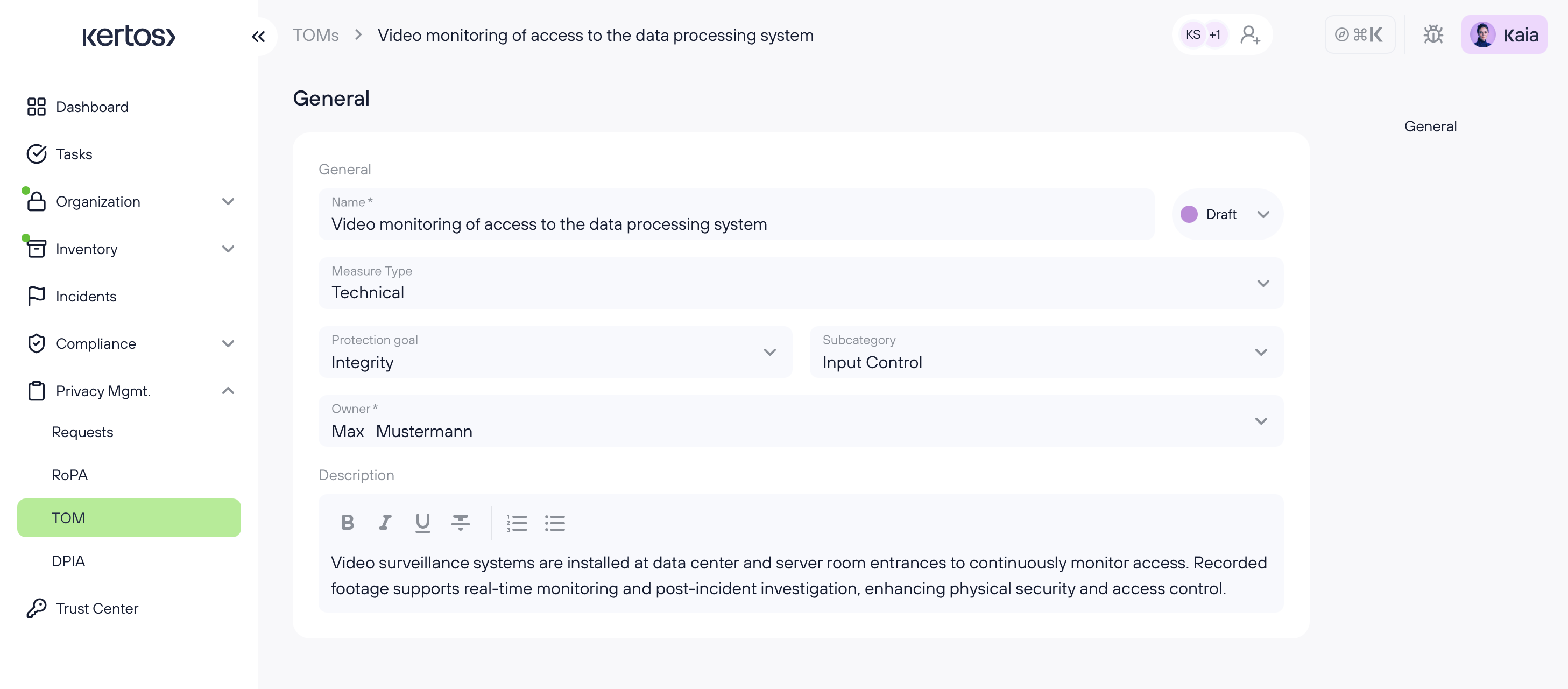
When you click on a policy, a window will open providing you with additional information about the policy. This includes the associated protection goals and it's subcategory, the TOMs owner, its status, and a detailed TOMs description.
How to create TOMs
Import via the catalog

1. On the menu bar on the left-hand side, go to "TOM".
2. Click on "Catalog".

3. Go through the catalogue and select the TOMs that apply to your organization.
4. You can also filter by protection goal or Technical or organisational measure. Furthermore, you can search by name in the search field.
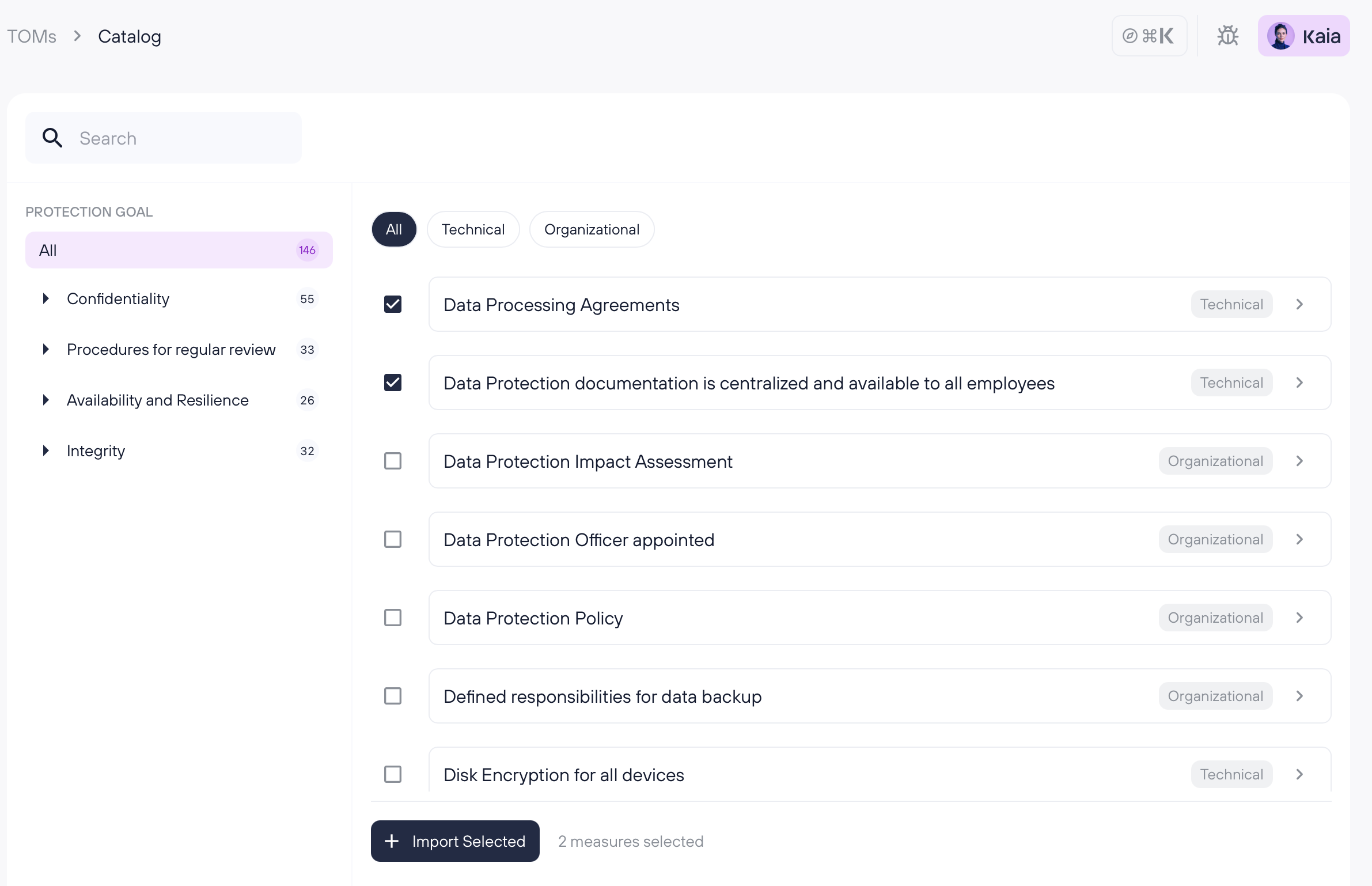
5. Click "Import Selected".
Once this step is done, the TOMs show up in the “Draft” overview.
How to create TOMs – manually

1. Click on "Add measure".
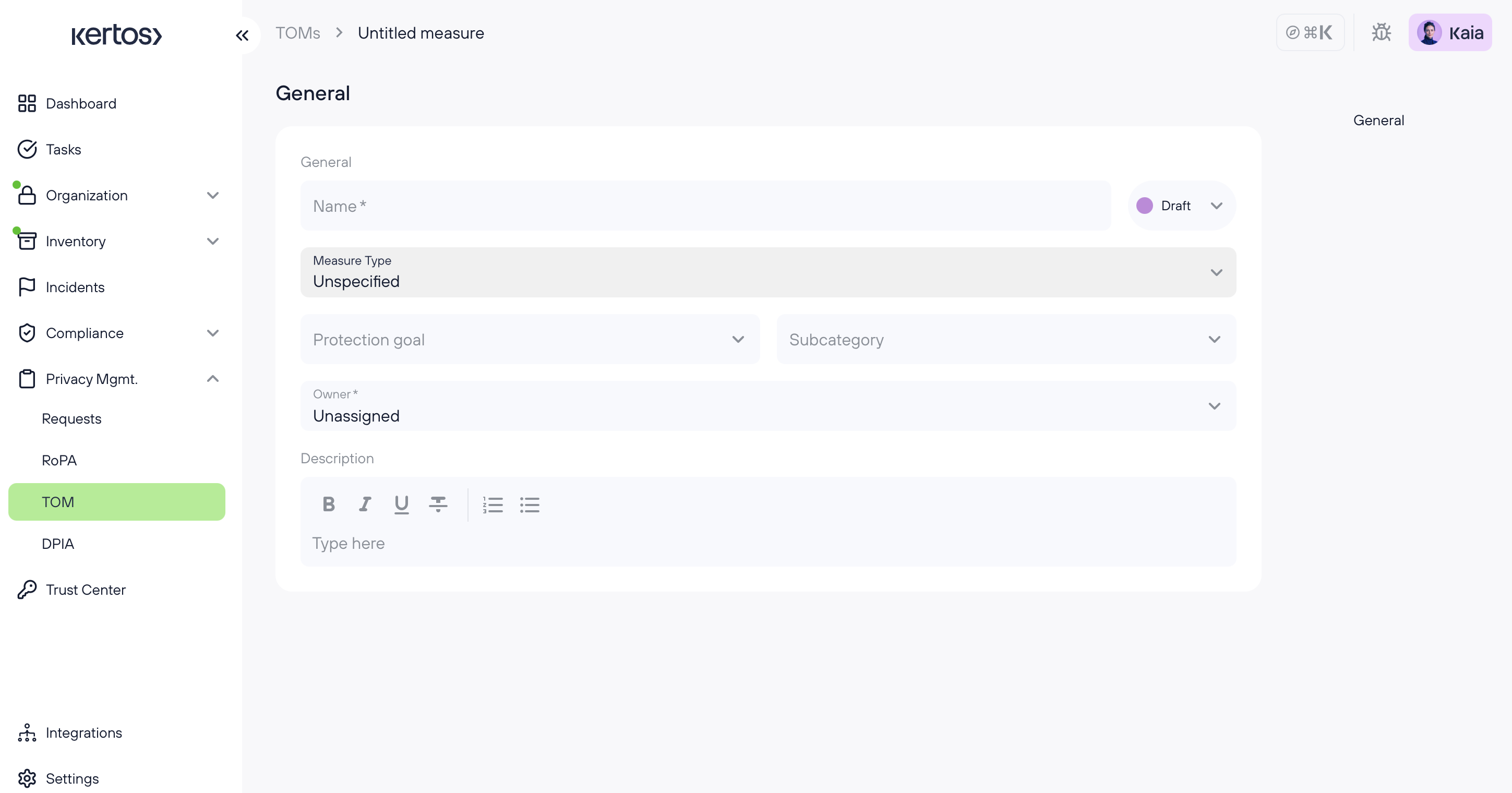
2. Fill out the form with the required information:
Name of the measure
Measure Type: Organizational or technical
Category: Protection goal
Subcategory of protection goal
Providing a description is optional
3. Click "Save" and it will be in the "Draft" overview.
Exporting TOMs

You can export the data from the detail view of TOMs dashboard for external use, such as audits or internal reviews. Follow these steps to export:
1. In the TOMs dashboard, click on the Export button at the top right.
2. You can choose between pdf and excel format as download.
3. The file is downloaded and available instantly