Managing & implementing controls
Last updated: June 22, 2026
Controls are the backbone of your compliance work in Kertos. Each control comes directly from the source document of your active framework — whether that's ISO 27001 Annex A, NIS2 articles, TISAX assessment objectives, SOC 2 trust service criteria, or C5 requirements. What you implement in Kertos is exactly what your auditor expects to see.
What is a control?
A control is a security or compliance requirement defined by a framework. Each control in Kertos carries the original ID and wording from the regulation or standard it belongs to — so an ISO 27001 customer sees A.5.1, A.8.1, and so on.
Controls are not the unit of work, since Implementation Steps are. A control groups one or more Implementation Steps that together fulfil its requirement. When all linked Steps are completed, the control is marked as Implemented.
How It Works
1. Navigating the Controls page
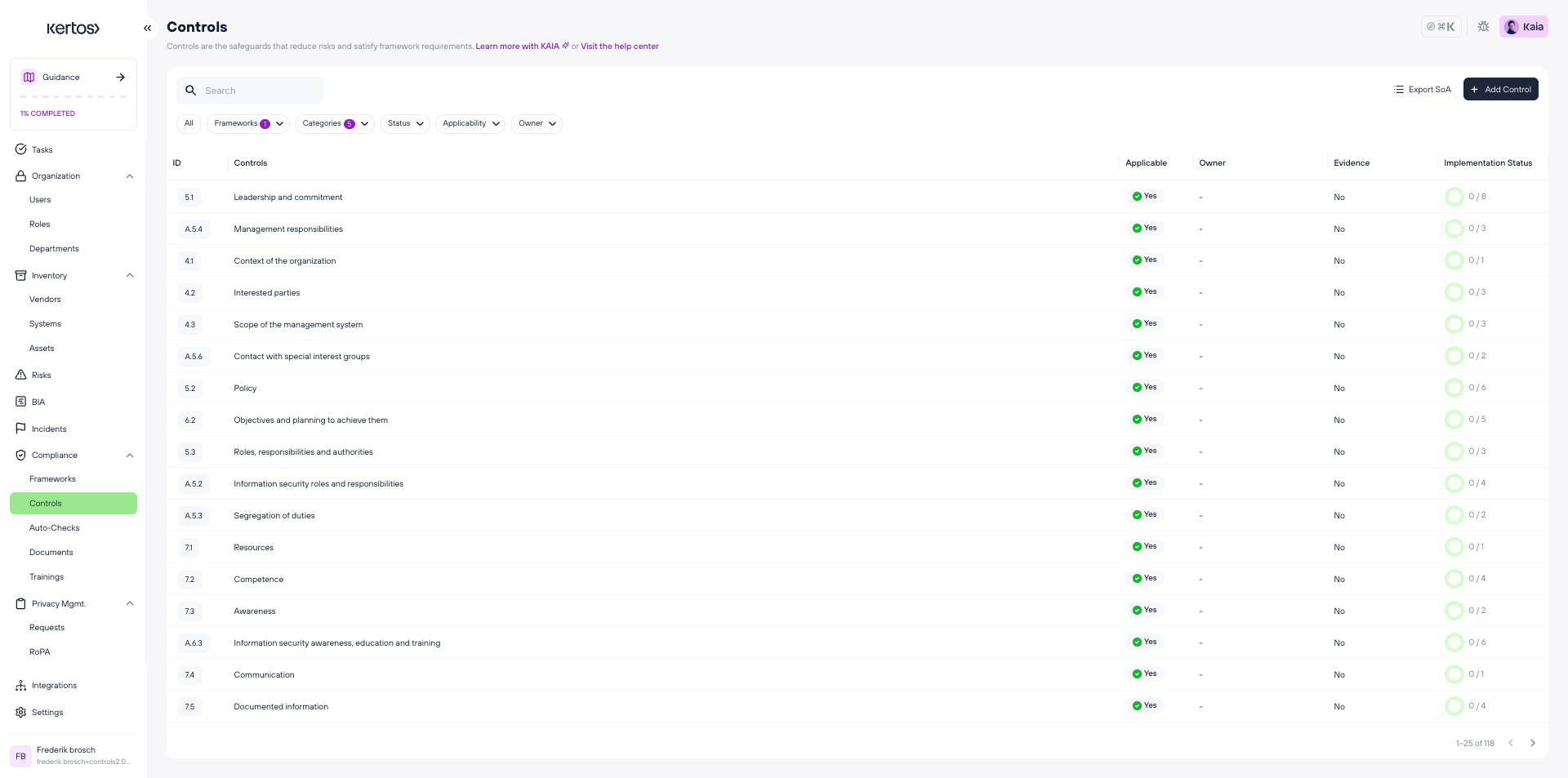
Open Controls from the left sidebar. You'll see all controls for your active frameworks. You can filter by:
Framework (ISO 27001, NIS2, TISAX, SOC 2, C5, etc.)
Categories (Organisational, People, Physical, Technological)
Status (To do, In progress, Implemented)
Applicability (Applicable, Not Applicable)
Owner
2. Viewing and Managing Controls
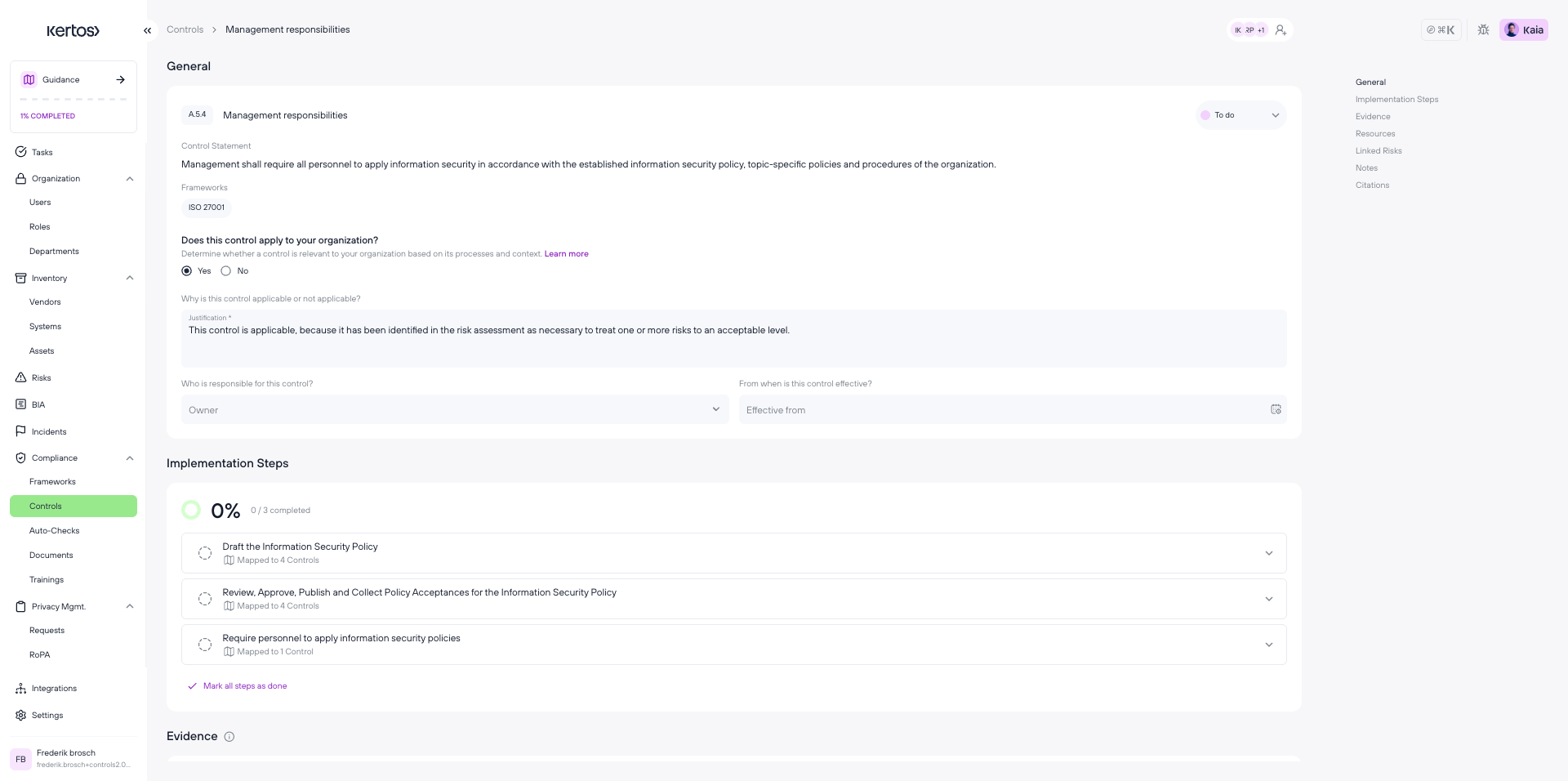
Click any control to open its detail page, where you'll find the control description, linked Implementation Steps, and the Evidence section.
Applicability
Not every control applies to every organization. You can mark a control as Not Applicable and provide a justification. This is recorded and visible in your compliance overview — important for audits, where you may need to explain why certain controls were excluded.
2. Managing Implementation Steps
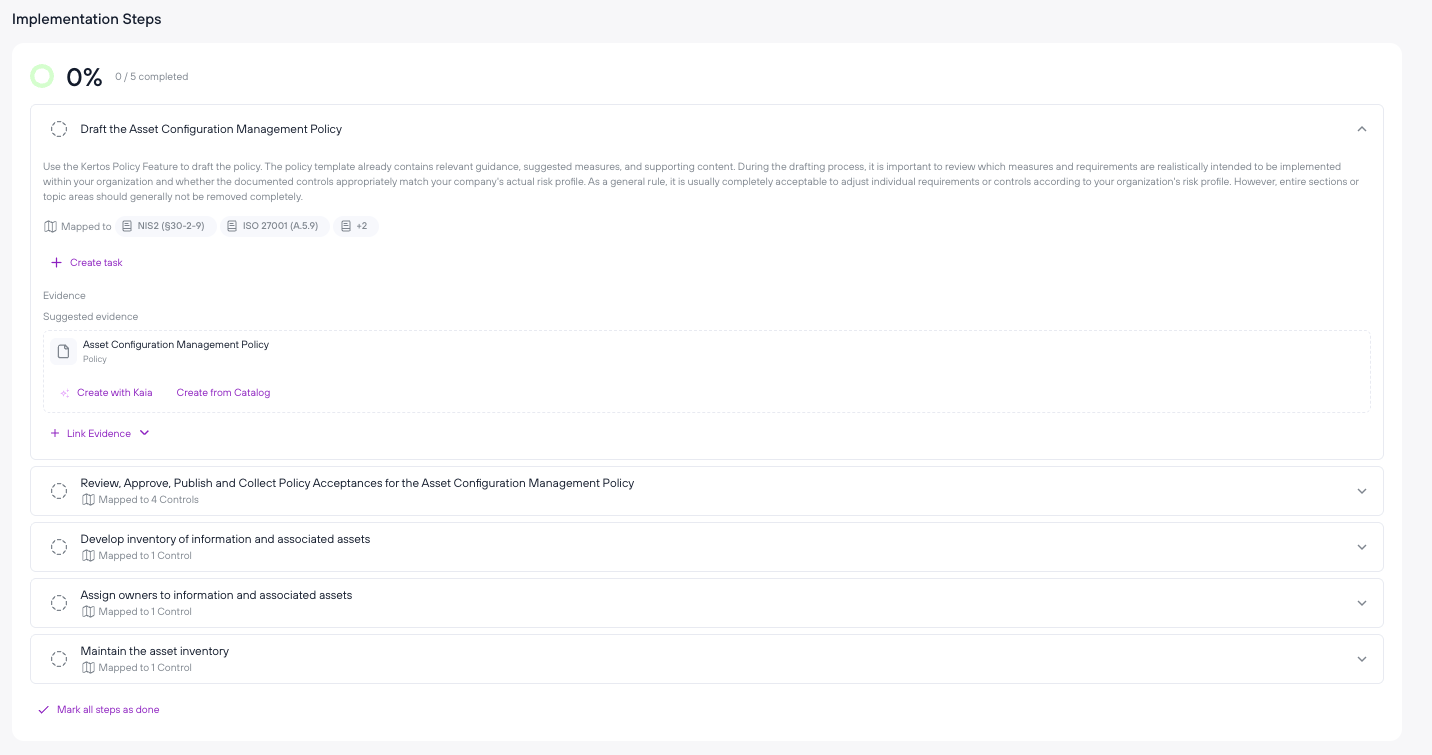
Implementation Steps are the concrete actions you take to satisfy a control. They describe what your team actually needs to do. For example, "Configure screen lock timeout on all managed devices" or "Appoint an information security officer."
Implement once, satisfy many
A key property of Implementation Steps is that they are shared across frameworks. If two frameworks you have active require the same action, there is only one shared implementation step. Complete it once and it counts toward every framework that references it. Evidence attached to a step automatically satisfies all controls and frameworks that reference that step. When you complete a step that is required by multiple frameworks, all of them are updated simultaneously. Adding a second framework does not mean starting from scratch.
Auto Checks (automated technical verifications from your connected cloud environments) appear here too. When an Auto Check passes, the linked Implementation Step is automatically marked complete. Learn more about Auto Checks.
Evidence
Evidence is attached at the Implementation Step level. When you upload a document, link a policy, or record a technical check as evidence on a step, that evidence automatically covers every control and framework referencing the same step.
FAQs
Can I create my own controls?
Yes. You can add custom control to capture work that is specific to your organization's setup. Custom Controls follow the same completion and evidence workflow as system-provided Controls.
Who can change the applicability of a control?
Admins and users with the appropriate permissions can mark controls as Not Applicable. The change is logged with a timestamp and the user who made it.
I completed a step but my control is still showing "In Progress" — why?
The control status is calculated from all linked Implementation Steps. Check whether there are additional steps still open on that control. Once every step is marked complete, the control status updates to Implemented automatically.
Does completing a step in one framework affect my other frameworks?
Yes — this is intentional. Implementation Steps are shared across frameworks. Completing a step updates the status of every control that references it, across all your active frameworks.
What happens if I add a new framework later?
Kertos calculates how much of the new framework's implementation work overlaps with steps you have already completed. Your existing progress carries over automatically — you only need to complete the steps that are genuinely new.