Tracking Vulnerability Remediation SLAs with Aikido
Last updated: August 21, 2026
What this integration does
Aikido scans your code, cloud and containers and tells you what is vulnerable and how severe it is.
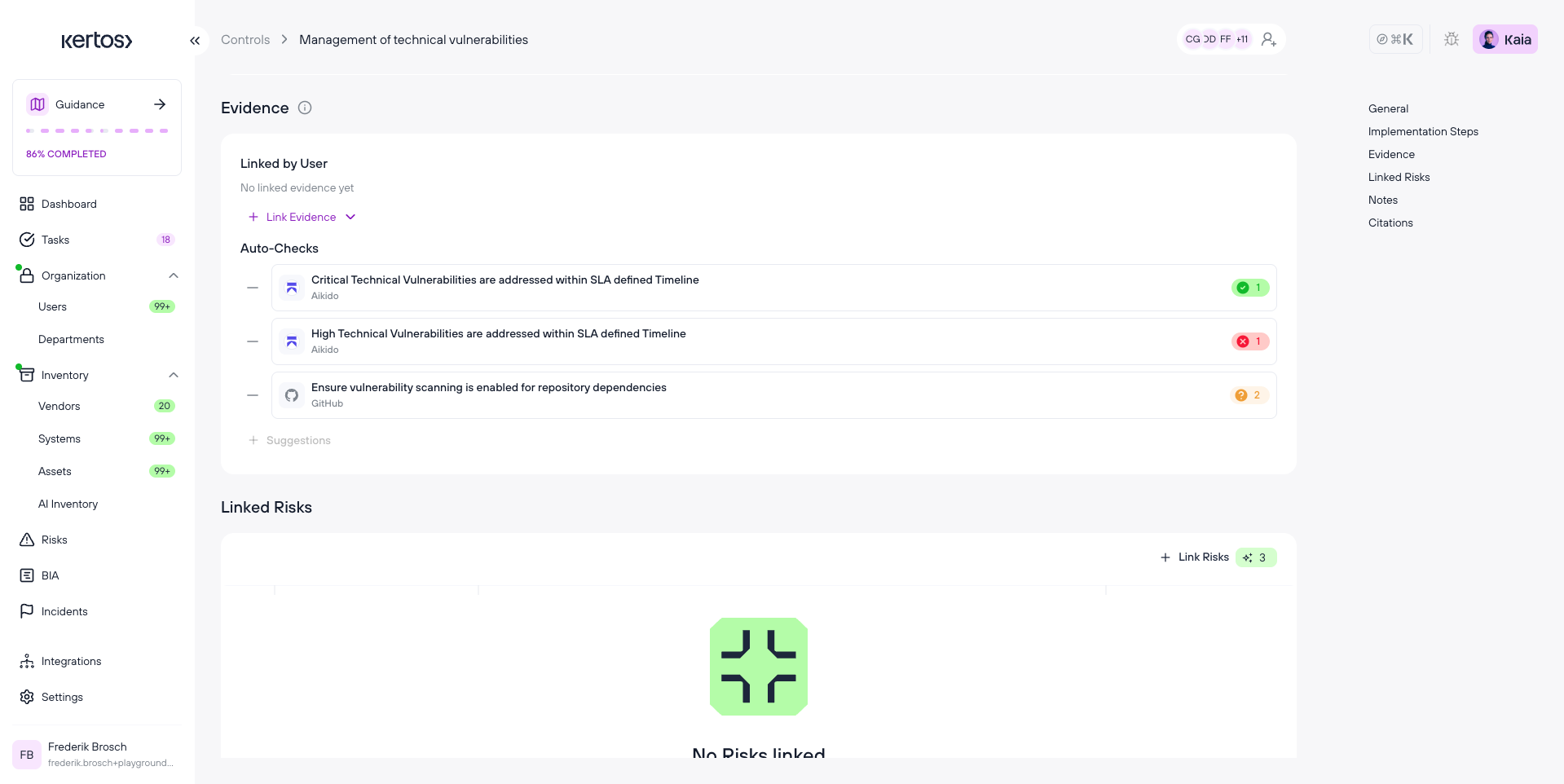
Once connected, Kertos adds two Auto-Checks to your workspace: one for Critical vulnerabilities and one for High. Each check fails when at least one open finding of that severity has passed its remediation deadline defined in Aikido, and passes when none have.
The result is written to your Controls as evidence, so you no longer need to export screenshots from Aikido before an audit.
The integration is read-only. Kertos reads your findings from Aikido and never writes anything back.
What you get:
Two Auto-Checks: Critical Technical Vulnerabilities and High Technical Vulnerabilities
Automatic evidence on controls A.8.8, A.8.25 and A.8.29
A daily background sync, plus a manual sync button whenever you need a fresh result
A direct link from each check into Aikido, pre-filtered to the relevant severity
Prerequisites
Before you start, make sure you have the following:
An Information Security Framework such as (ISO 27001, SOC2 or NIS2) in Kertos. The integration is not available for Privacy or AI related frameworks.
Admin rights in Kertos, so you can set up integrations.
An Aikido account with permission to authorise third-party applications.
SLA timelines configured in Aikido for Critical and High priority issues. These two are mandatory. Without them the checks have no deadline to measure against and cannot produce a result. You will be prompted for this during setup, so you can also do it as you go.
Setting up the integration
SCREENSHOT
1. Open the Aikido integration. Go to Integrations, open the Vulnerability Management category, and click Setup on the Aikido card.
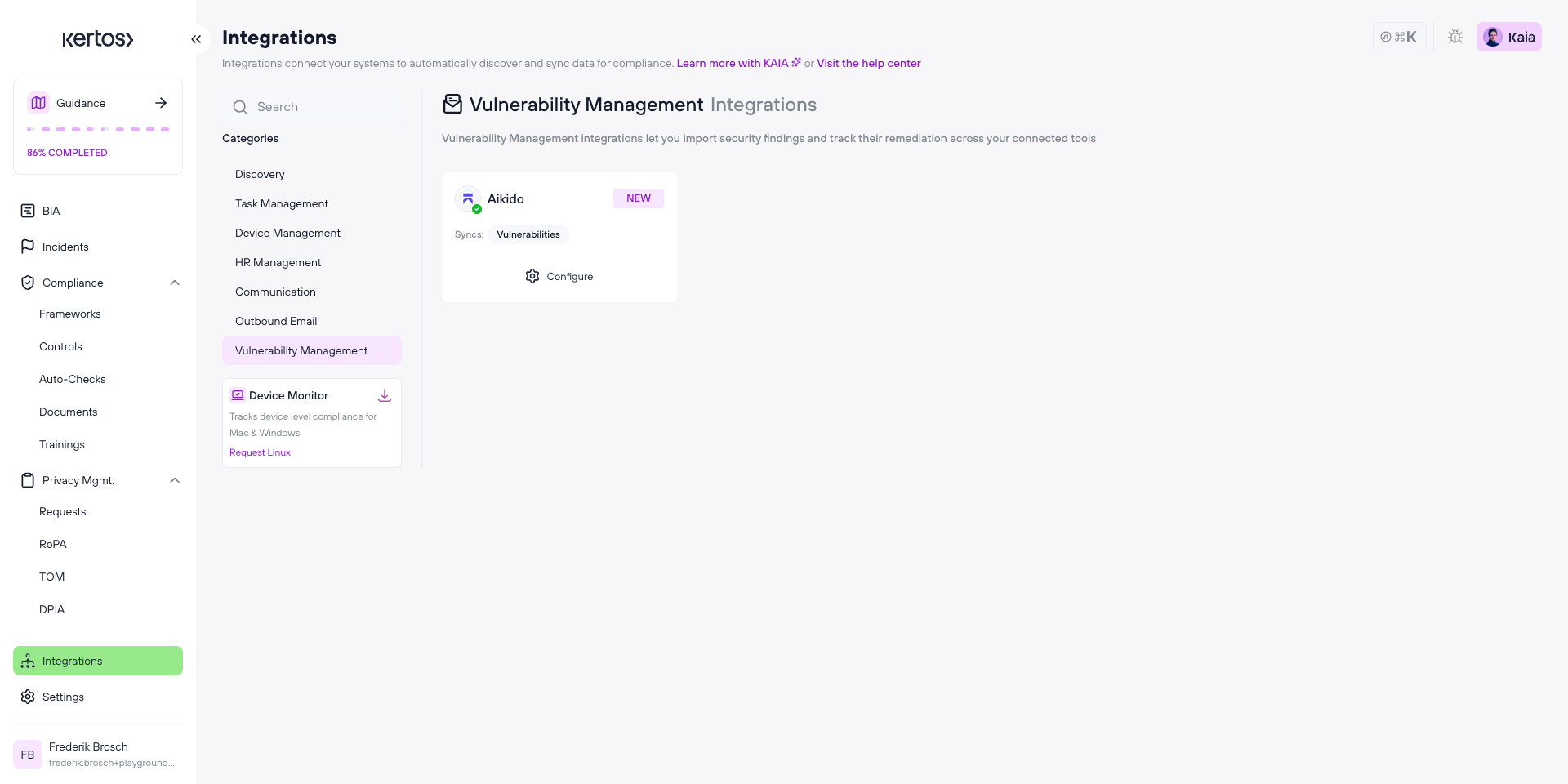
2. Connect your Aikido account. Click Connect. A popup opens where you log in to Aikido and authorise Kertos. Once you approve, the popup closes and you return to the setup flow. If you close the popup by accident, simply click Connect again.
3. Wait for validation. Kertos verifies that the connection works and that your SLA settings are readable. You will see a notification that reads "Connecting to Aikido — validating your integration." This usually takes a few seconds.
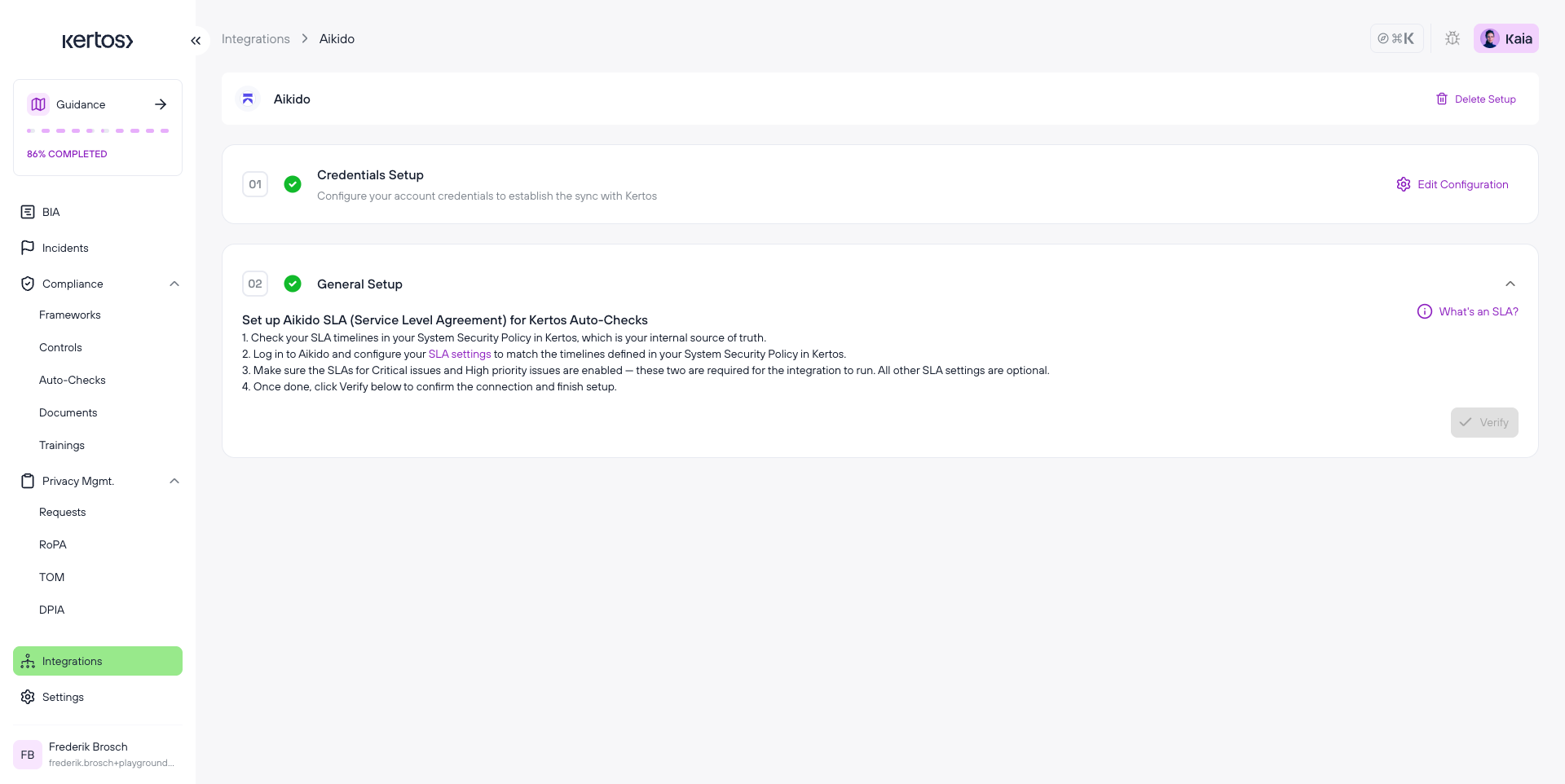
4. Configure your SLA timelines in Aikido. The final step links you directly to your Aikido SLA settings. Set a remediation deadline for Critical and for High priority issues. Both are required — the two Auto-Checks map one-to-one to these two tiers.
5. Confirm and finish. Return to Kertos and confirm that your SLAs are configured. Setup stays blocked until you do, because a connection without SLAs produces checks that can never pass or fail meaningfully.
Once you finish, the Aikido card shows Connected, the first sync runs immediately, and both Auto-Checks are evaluated straight away. You will see a confirmation with a link through to your Auto-Checks.
Where your results appear
Your two Aikido checks show up in three places:
Auto-Checks page — under the Aikido provider tab, alongside your other automated checks.
Controls page — as evidence under A.8.8, A.8.25 and A.8.29. This is what your auditor will look at.
Dashboard — in the Auto Checks Overview, so you see the current state without navigating anywhere.
Reading an Auto-Check
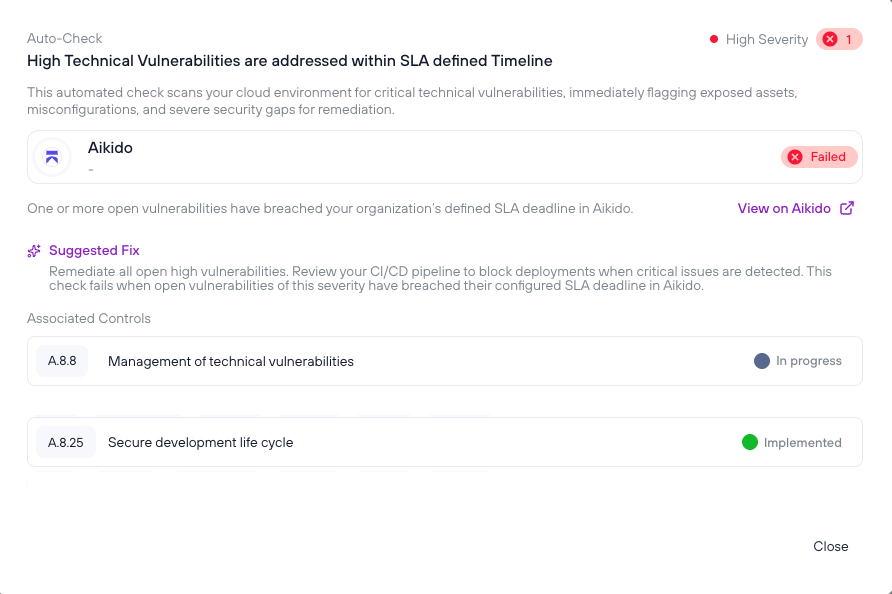
Open either check to see its detail view.
The General tab shows what the check does, which controls it feeds, and when it last ran.
Instead of a findings list, you see a plain status:
Passing — "No vulnerabilities breaching SLA deadline."
Failing — "X vulnerabilities have breached their SLA deadline."
Both states include a View in Aikido link that opens Aikido filtered to that severity tier, so you land directly on the findings that need attention.
Kertos deliberately does not reproduce your vulnerability list. Triage and remediation stay in Aikido, where your engineers already work. Kertos answers the compliance question: are you keeping to your own deadlines?
Keeping your SLAs consistent
Your remediation deadlines live in two places: in Aikido, where they drive the checks, and in your respective Kertos policy, where you commit to them on paper. An auditor who finds a 30-day commitment in your policy and a 90-day setting in Aikido will treat that as a finding.
Whenever you change one, change the other.
What is not included
So that you know where the boundaries are:
Kertos does not create tasks or tickets for vulnerabilities. Aikido already does this.
Kertos does not show individual findings, asset mappings or severity scores.
You cannot configure SLA timelines inside Kertos. They stay in Aikido.
Only Critical and High are covered. There are no checks for Medium or Low.
The sync is one-way. Nothing you do in Kertos changes anything in Aikido.
FAQs
How often does the data refresh?
Kertos syncs with Aikido once a day in the background. If you have just remediated something and want the check to reflect it immediately, use the manual sync button on the Aikido integration card.
Do I need to set up SLAs in Kertos as well?
No. The deadlines that drive the checks come exclusively from Aikido. Your respective Kertos policy documents the same commitment for your auditor, so keep the two aligned.
Why does a check fail when I have open Critical findings that are still within their deadline?
It should not. The checks only fail once a finding has passed its remediation deadline, not when a finding exists. An open Critical vulnerability that is three days into a 30-day SLA leaves the check passing.
Can I connect a different scanner instead?
Not at the moment. Aikido is the first vulnerability management provider Kertos supports. Additional scanners are being evaluated for a future release.
Can I use this on a privacy-only plan?
No. The integration requires an information security framework such as ISO 27001, SOC2 or NIS2. Privacy and AI frameworks are not supported, because the checks feed information security controls.