Managing Audit Findings
Last updated: October 15, 2026
Introduction
Once your audit is complete, the auditor hands you a report listing their findings. In Kertos, you add these findings to the platform and manage the follow-up work from there. Users with the “auditor” role get read-only access to the Findings screen, so they can track the progress.
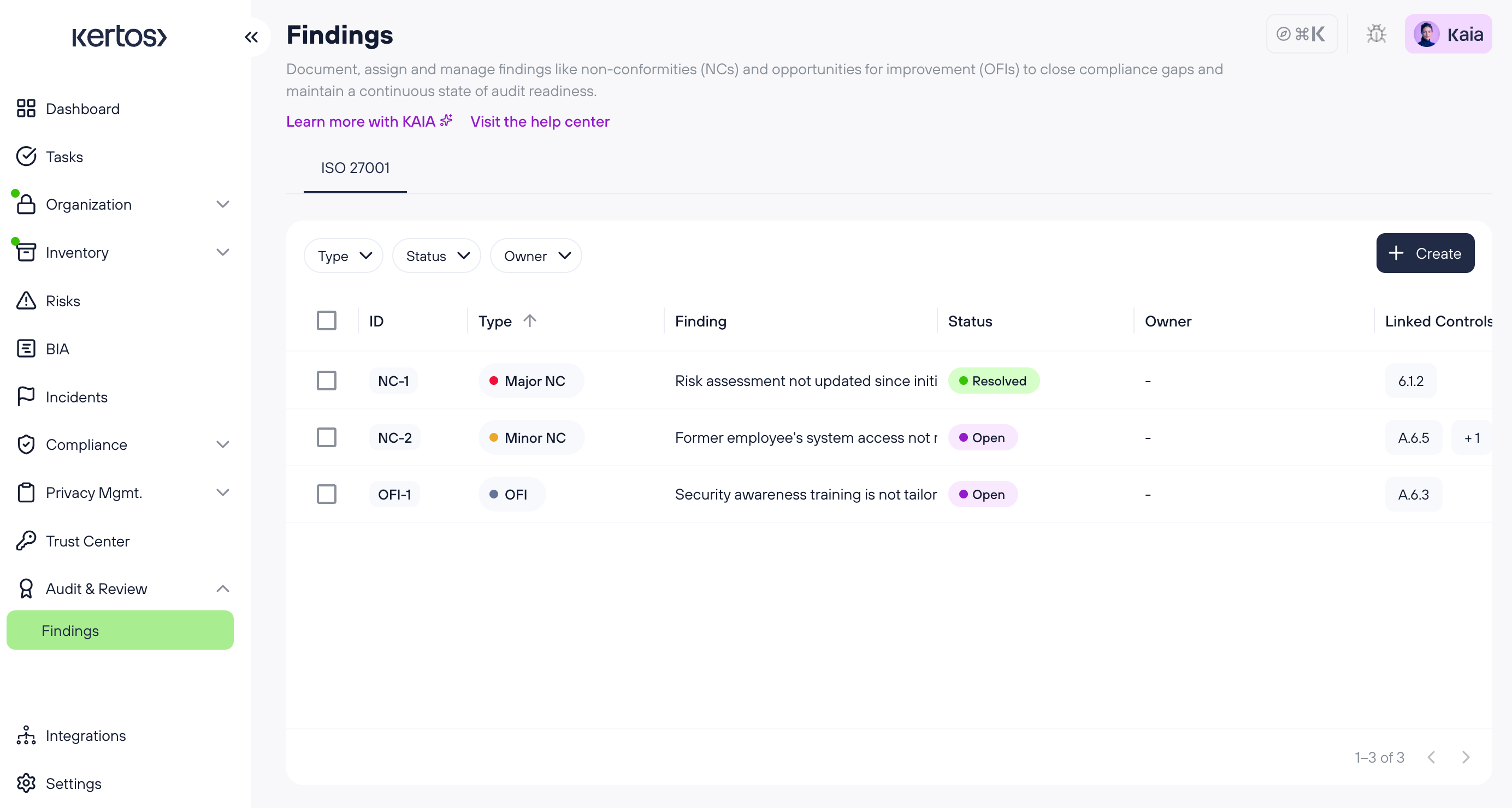
What is a Non-Conformity (NC)?
A non-conformity is a requirement of the standard that your organization is not meeting. Auditors classify NCs by severity:
Major: A significant gap, such as a missing control or a fundamental gap in how the ISMS operates.
Minor: A smaller gap, such as a single instance of a control not being followed.
What is an Opportunity for Improvement (OFI)?
An OFI is a suggestion from the auditor for something that already works but could be improved. For example, tightening a process that is compliant but inefficient.
How it works
1. Navigating the Findings page
Open Findings from the left sidebar, under “Audit & Review”. At the top of the screen, you’ll find a tab for each framework you manage findings for. Each tab shows the findings for that framework only. Within a framework tab, you can filter the list by:
Type (Major NC, Minor NC, OFI)
Status
Owner
Audit
2. Creating a Finding
Click “Create” in the top right of the Findings screen.
First, select the type of finding: Major NC, Minor NC or OFI. On the next step, you can add further details. The title is the only required field, so you can create a finding quickly and fill in the rest later.
Also, an audit can be linked as source to a finding. Read more about managing audits here.
3. Working through a Non-Conformity
Click any NC in the list to open its detail page. We recommend working through it in this order:
Fill out the base information: Add the description, the linked controls and assign an owner.
Add the root cause: Document why the non-conformity occurred, not just what happened.
Add actions: Add immediate actions (to contain the issue) and corrective actions (to fix the underlying cause), then complete them and add evidence to the action.
Review and resolve: Once all corrective actions are complete, the NC becomes eligible for review. Review it and mark it resolved.
4. Working through an Opportunity for Improvement
Click any OFI in the list to open its detail page. The suggested workflow is:
Fill out the base information: Add the description and assign an owner.
Add improvement actions: These are the concrete steps you’ll take to act on the suggestion.
Review and resolve: Once all improvement actions are complete, the OFI becomes eligible for review. Review it and mark it resolved.
Defer or reject an OFI
Not every OFI needs to be acted on right away. Some you may revisit later, others you may decide not to implement at all. On the OFI detail page, you can set whether the finding is currently relevant. If it isn’t, mark it as deferred (to revisit later) or rejected (if you’ve decided not to act on it).
5. Context menu
On the detail page of any finding, click the “three dots” icon in the top right to open the context menu. From here, you can view delete a finding.
FAQs
Which frameworks support Findings?
Findings are currently available for ISO 27001 and ISO 42001. Support for further frameworks is planned.
Can my auditor see the Findings screen?
Yes, users with the “auditor” role have read-only access, so they can review your findings and track progress.
Do I need to fill out every field before I can save a finding?
No, the title is the only required field when creating a finding. You can add the rest of the details afterwards from the detail page.
Can I resolve an NC or OFI without completing an action?
No, a NC needs at least the root cause and one completed corrective action. An OFI needs at least one completed improvement action, before it can be reviewed and resolved.
What’s the difference between an immediate action and a corrective action on an NC?An immediate action contains or mitigates the issue right away. A correct action addresses the root cause so the non-conformity doesn’t recur.
Can I edit a finding once it’s been reviewed?
Yes, however, the finding will be reopened and will need to be reviewed again.