Document Co-Pilot
Last updated: October 21, 2026
Document Co-Pilot is KAIA's AI-powered drafting assistant that helps you build your compliance documentation effortlessly, from information security policies to supporting documents like plans, reports, and forms. It analyses your company context, aligns with your active compliance frameworks, and creates editable, version-controlled documents in one central place. You can also ask KAIA directly in chat to create a new document or edit an existing one, no need to open the editor first.
Problem Statement
Creating and maintaining compliance documentation is time-consuming. Writing policies from scratch, structuring supporting documents, and keeping everything consistent across frameworks can be confusing. Without clear guidance, users often hesitate to finalise drafts — leading to bottlenecks and heavy reliance on experts or Customer Success support.
Overview
KAIA's Document Co-Pilot helps you create, edit, and maintain compliant documents directly within Kertos. Using your company context (size, industry, tech stack, roles, etc.), KAIA generates tailored drafts aligned with your active frameworks — saving time and giving you confidence your documentation meets compliance expectations.
Documents created with KAIA follow the standard approval workflow: Draft → Sent for Approval → Approved → Active.
Key Features of Document Co-Pilot
AI-Generated Drafts: KAIA generates complete document drafts based on your company context and selected framework. Each draft provides a compliant baseline to review, edit, and approve.
Supports multiple document types: Policies, plans, reports, and forms, all in one place.
Embedded Editor: Adjust content directly inside the built-in editor, no downloads or re-uploads needed.
Framework Mapping: Each document is linked to its relevant framework (e.g., ISO 27001, GDPR, EU AI Act).
Version Control and Ownership: Documents include metadata such as owner, reviewer, and last updated date, ensuring accountability and audit readiness.
Chat-Based Editing: Tell KAIA what to write, and it creates the document or updates the content for you. Currently works on Draft documents; an Approved or Active document needs to be moved back to Draft (or rejected) before Kaia can edit it.
Benefits of Document Co-Pilot
Faster Document Creation: Generate complete drafts in minutes rather than days.
Reduced Expert Dependency: Clear baselines and prompts reduce the need for manual reviews.
Consistency Across Frameworks: Shared documents stay synchronized and traceable.
Tailored to Your Company: Drafts reflect your context and adapt as it changes.
How Document Co-Pilot Works
Setting Up Your Company Context
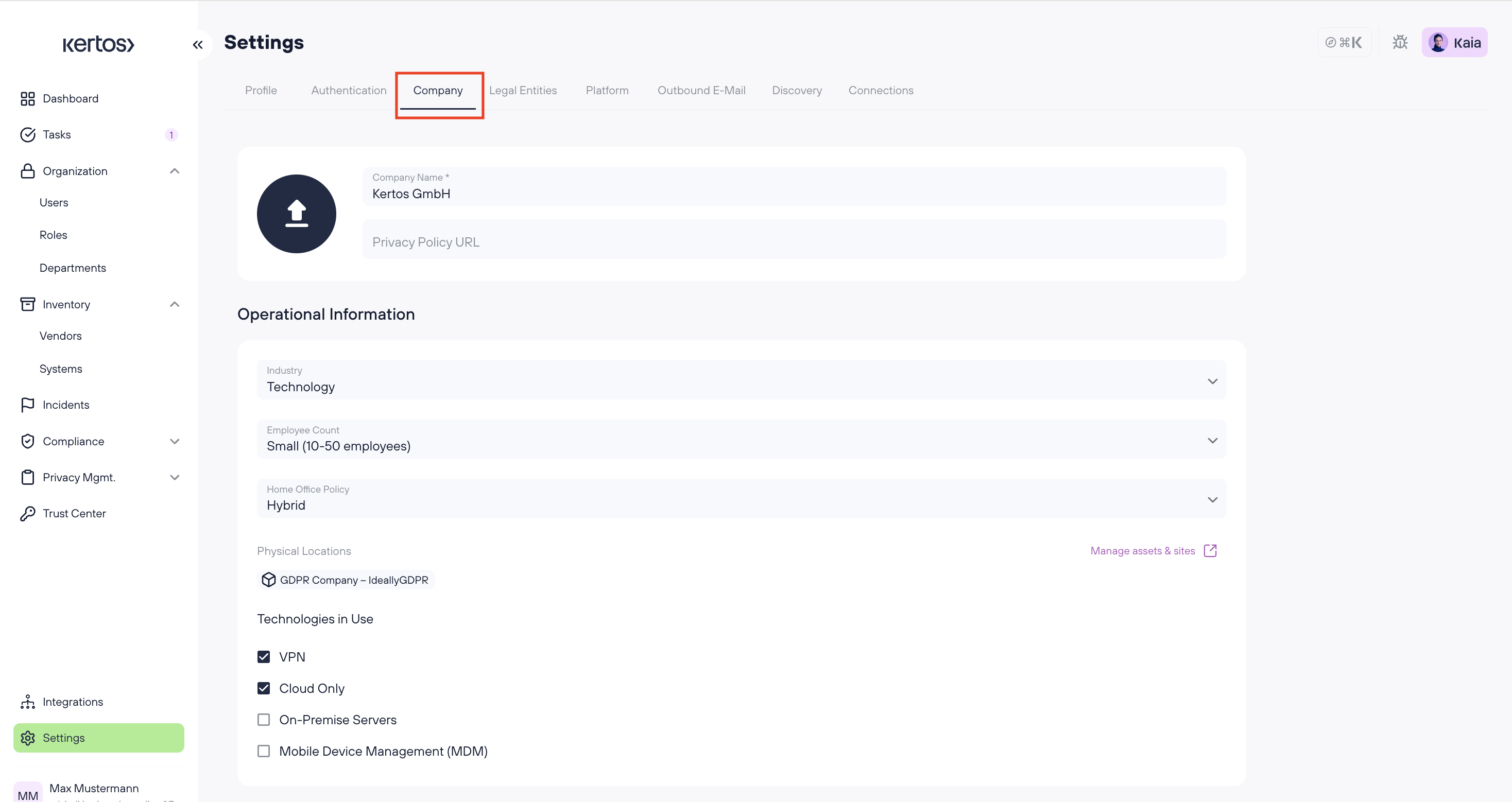
Go to Settings → Company Context
Fill in details like company size, industry, and tech stack
Save changes
The more complete your context, the more precise your drafts.
Creating D
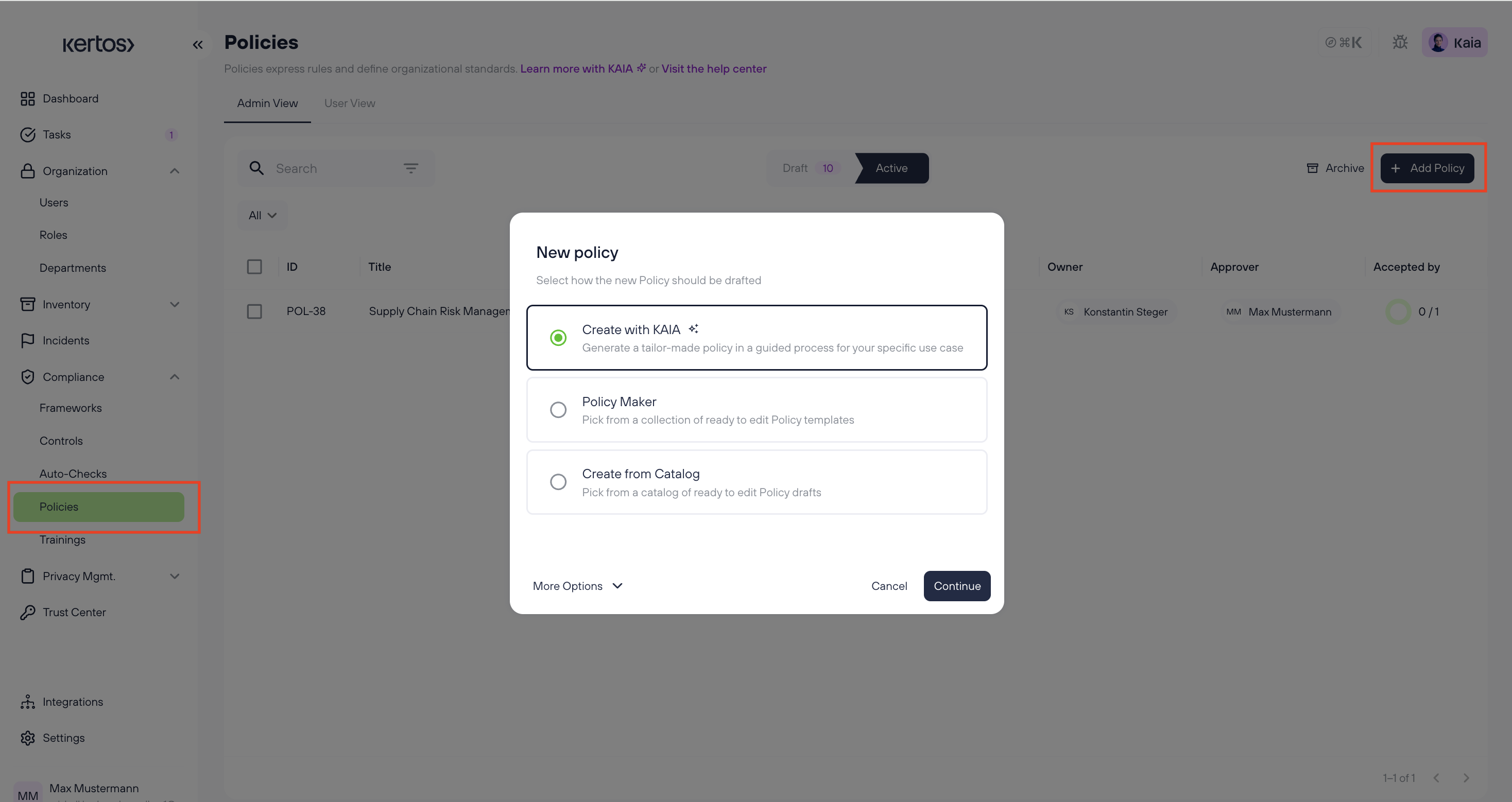
Navigate to the Documents section
Click Create with KAIA
Choose to generate all documents or select specific ones
Click Create
KAIA will use your context to produce drafts aligned with your framework's requirements. Documents generated by KAIA are marked with a purple diamond icon.
Note: KAIA drafts documents where a platform template exists. If no template is available for a specific document type, you can create from scratch using the editor.
Reviewing and Editing
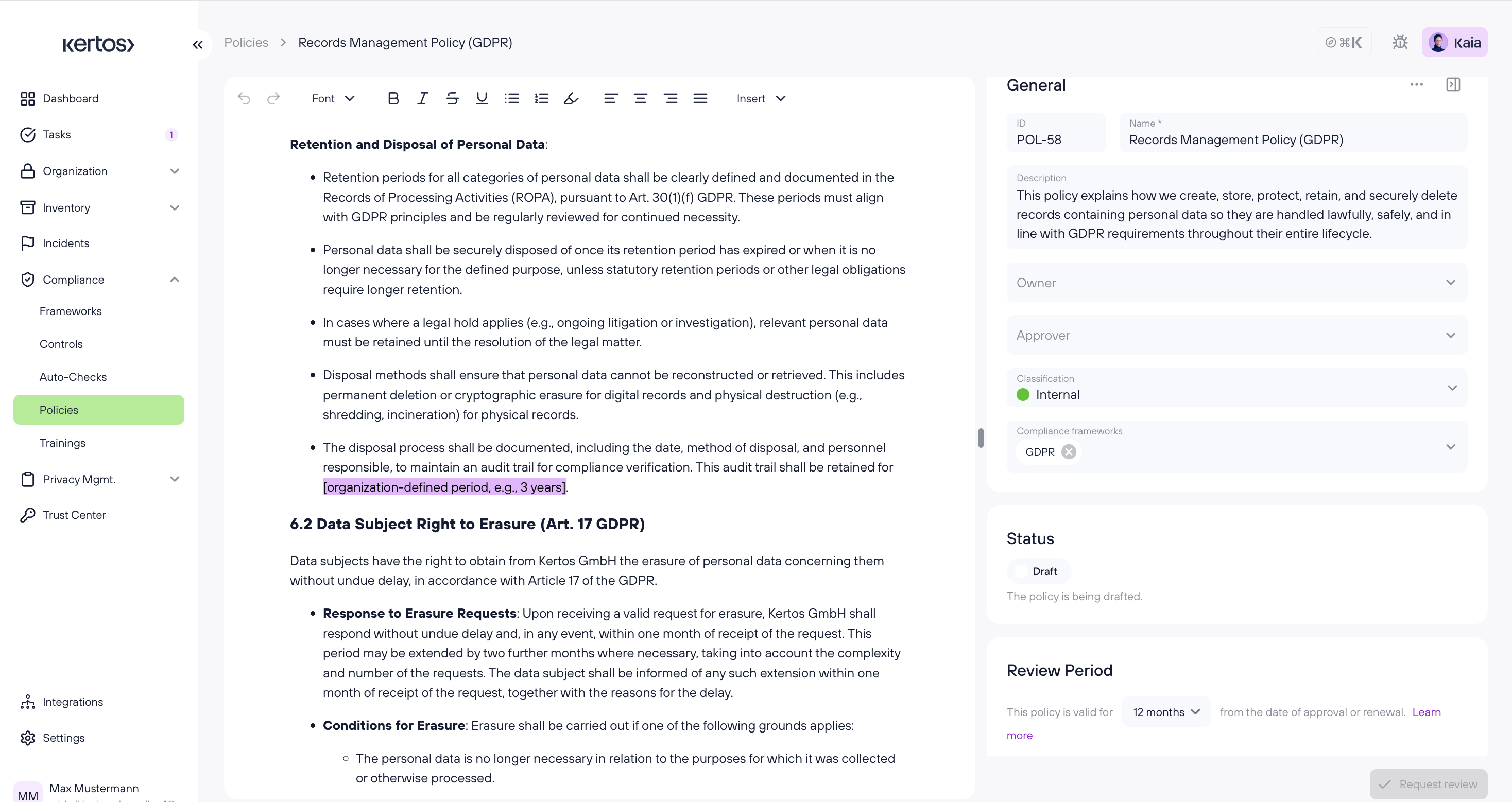
Open any created document
Use the embedded editor to refine the text and add references
Set a status and assign an owner and reviewer
Send for approval when ready
FAQs
1. How does KAIA generate documents?
KAIA uses your company context and active frameworks to produce compliant first drafts, based on expert-trained prompts aligned with ISO 27001, GDPR, and other supported standards.
2. Can I edit KAIA's drafts?
Yes. All documents are fully editable through the embedded editor. Changes are tracked in version history.
3. What's the difference between a policy and a supporting document?
Policies are company-wide rules that employees must formally accept before they become active. Supporting documents (plans, reports, forms) are operational references that back up your policies — employee acceptance is optional for these.
4. Does Document Co-Pilot replace expert review?
No. KAIA accelerates drafting, but final validation should always be done by the responsible owner before approval.
5. Can multiple people review or approve a document?
You can assign one reviewer and one owner per document. Roles like DPO and CISO remain unique (one user each).
6. Can I ask KAIA to edit a document through chat instead of the editor?
Yes, for Draft documents. Just tell KAIA what to change, paste in content you’ve already drafted, or ask it to update a specific section, and it writes the change in directly. If the document is already Approved or Active, KAIA will explain that it needs to be reverted to Draft first.