Security & Privacy Questionnaire Autofill
Last updated: September 14, 2026
Answer vendor security and privacy questionnaires in minutes instead of days. Upload the questionnaire into KAIA, and it drafts the answers from the compliance data you already maintain in Kertos: your active policies, certifications, sub-processors and controls. You review, adjust, and send.
Problem Statement
Security and privacy questionnaires are one of the most common blockers. They arrive during vendor due diligence, usually as long Excel files, usually with a tight deadline, and usually land on the desk of the one person who knows the answers.
The information needed is rarely missing. It's just scattered across policies, certifications, sub-processor lists and previous submissions. So the same questions get answered from scratch, again and again, while a deal waits.
Overview
Security & Privacy Questionnaire Autofill uses the compliance data already documented in your Kertos account to pre-fill the questionnaire you received. You upload the file to KAIA, KAIA works through it question by question, and you get back the same file with draft answers filled in.
The workflow is deliberately simple: file in, file out. Nothing new to set up, no separate workspace to learn.
Where KAIA cannot find an answer in your platform data, it says so and flags the question for you.
⚠ KAIA BETA. All answers are AI-generated drafts. Review them before sharing the file externally — you remain responsible for the final submission.
Key Features
Upload and download in KAIA — attach your
.xlsxor .pdf questionnaire directly in the KAIA chat, no separate module to openAnswers grounded in your own data — draft responses are built from your active policies, certifications, sub-processors and controls in Kertos
Only active documentation is used — drafts are never based on unapproved or draft content
Gaps are flagged — questions KAIA can't answer from available data are marked for manual review
Clear AI disclaimer — shown before you download, so expectations are set before anything leaves your company
Benefits
Respond in minutes, not days — remove the biggest bottleneck in vendor due diligence
Free up your experts — your security or privacy lead reviews instead of writing from a blank page
More consistent answers — responses reflect your documented compliance posture, not what someone remembers
Keep deals moving — reply while the opportunity is still warm
Always know where you stand — flagged questions show you precisely what's left to do
How the Feature Works
Step 1 — Open KAIA and attach your questionnaire
Open KAIA from anywhere in Kertos. Use the attachment icon in the message field to upload your questionnaire as an .xlsx or .pdf file. KAIA recognises it as a questionnaire and starts the flow automatically.
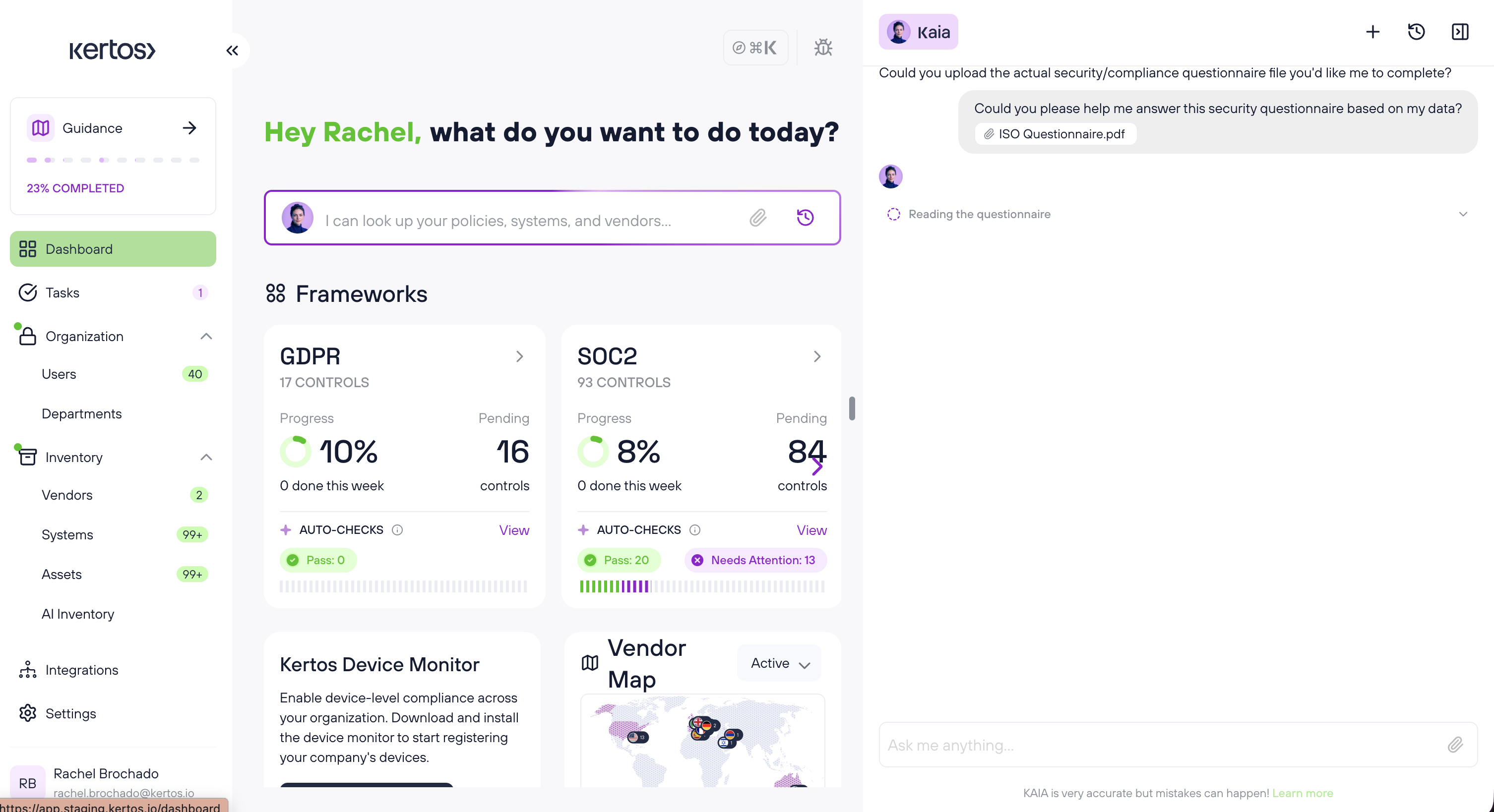
Step 2 — KAIA drafts the answers
KAIA reads the questionnaire and works through it question by question, drawing on your active compliance data in Kertos. A progress indicator shows what's happening while it runs.
Step 3 — Review the disclaimer
Before the file is made available, KAIA confirms that the output is an AI-generated draft that must be reviewed before external sharing, and that responsibility for the final submission stays with you.
Step 4 — Download the completed file
Download the answered .xlsx directly from the chat. Questions KAIA could not answer from your platform data are clearly flagged inside the file.
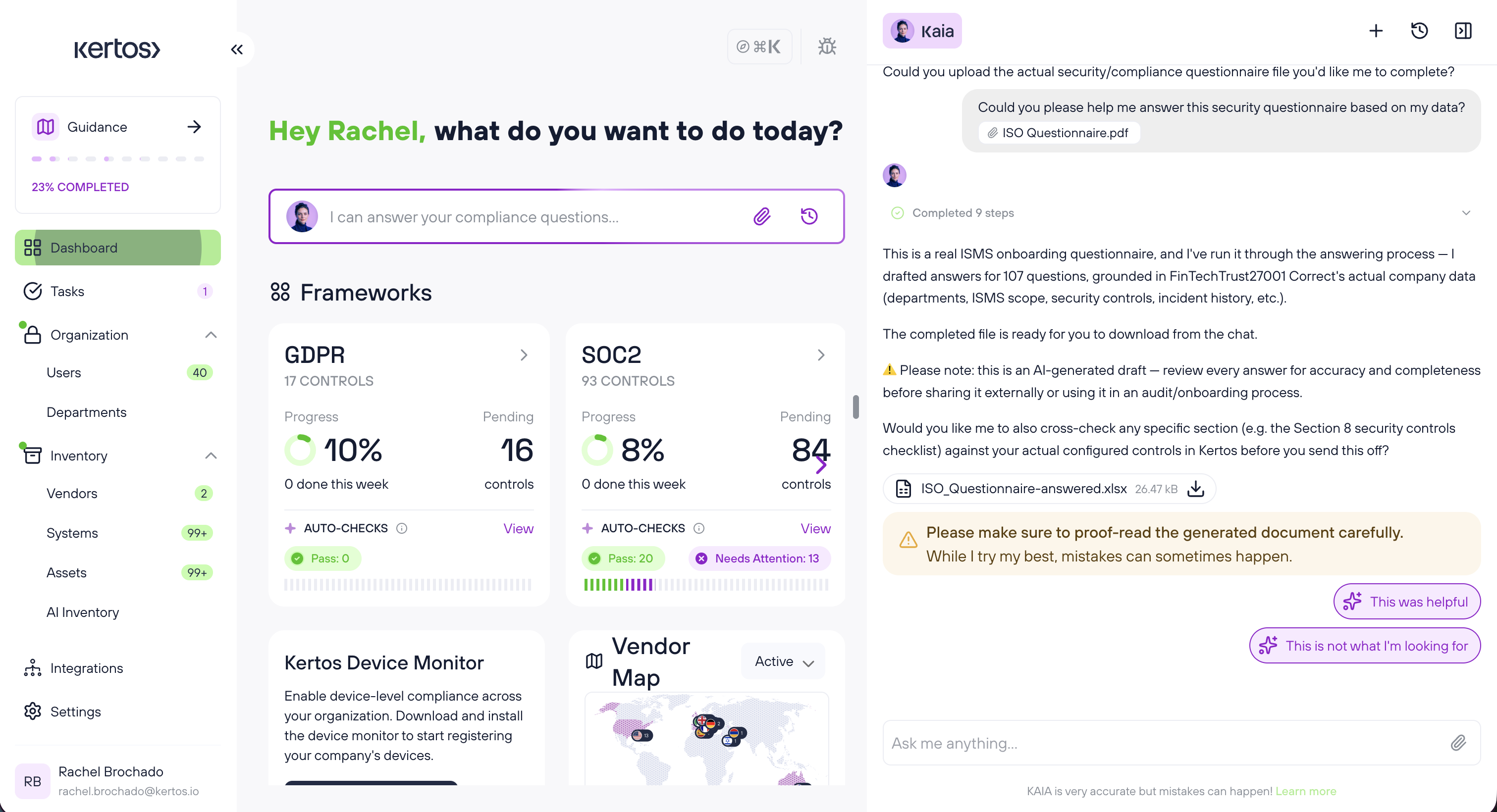
Step 5 — Review, complete and send
Open the file, check the drafted answers, fill in anything KAIA flagged, and send it to your customer or prospect.
FAQs
1. Which file formats can I upload?
Excel (.xlsx) and PDF questionnaires are supported in this version.
2. Where do the answers come from?
From the compliance data in your Kertos account — active policies, certifications, sub-processors, controls and your company context. Only approved, active documentation is used; draft content is excluded.
3. What happens if KAIA can't answer a question?
It flags the question for manual review instead of generating an answer. KAIA will not invent information that isn't in your platform data.
4. Do I need to complete anything before using this?
The feature is available to all users, but answer quality depends on how much compliance data you have in Kertos. Completing your company questionnaire and having your core policies active makes a noticeable difference.
5. Can I send the file straight to my customer?
No. Every answer is a draft and must be reviewed before you share the file externally. You remain responsible for the accuracy and completeness of what you submit.
6. Does Kertos store the questionnaire I upload?
No. Uploaded questionnaires are not saved to your document library. The feature works file-in / file-out only.
7. Does this replace my security or privacy expert?
No. It removes the blank-page work so your expert can spend their time reviewing rather than drafting. Expert review before submission remains essential.