Inviting Users
Last updated: April 28, 2026
To ensure that all users can acknowledge policies and complete necessary training, they must be invited to the Kertos platform. This section will guide you through identifying and inviting users in your organization, so everyone has access to Kertos for these critical tasks.
Kertos offers three options for adding users to your organization:
Via one of our HRIS integrations
Via the SSO scan
Manually
Via one of our HRIS integrations
For a streamlined user management experience, you can integrate Kertos with an HRIS (Human Resources Information System) like Personio. This integration allows for automated user onboarding. By syncing key user information (such as email, department, position, and status) directly from Personio to Kertos, you can ensure that all relevant users have access to Kertos without manual intervention.
To set up the HRIS integration, check out this article.
Via the SSO scan
The SSO scan is the only discovery channel that enables you to identify the users in your organization.
Conduct the SSO Scan as described in this article.
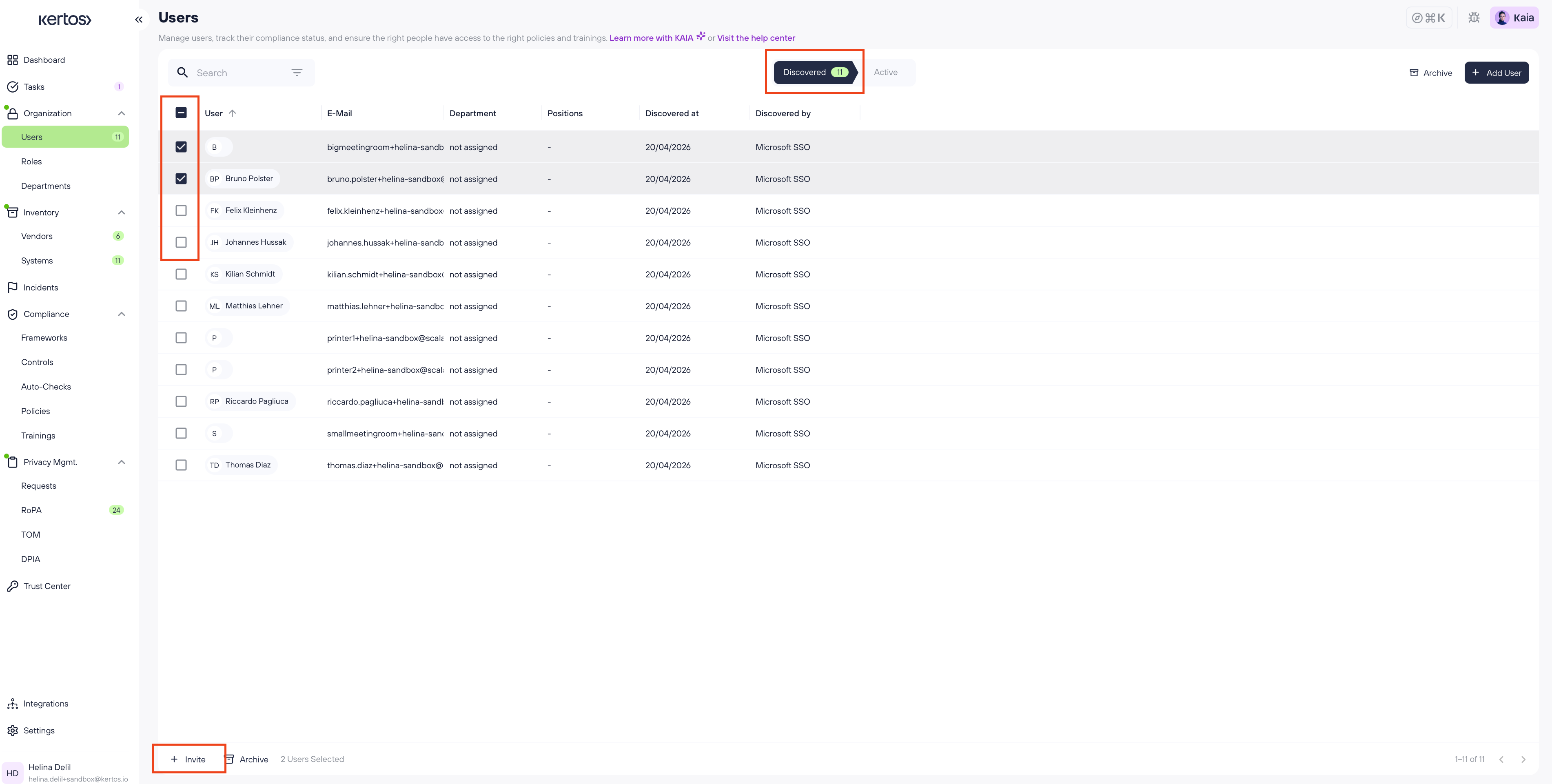
Navigate to Users. Discovered users will appear in the Discovered tab of the user overview. The tab displays each user's name, e-mail, department, positions, the date they were discovered, and the discovery source (e.g. Microsoft SSO).
Select the users you want to invite to the platform by checking the box next to their name.
Click + Invite in the bottom bar that appears once users are selected.
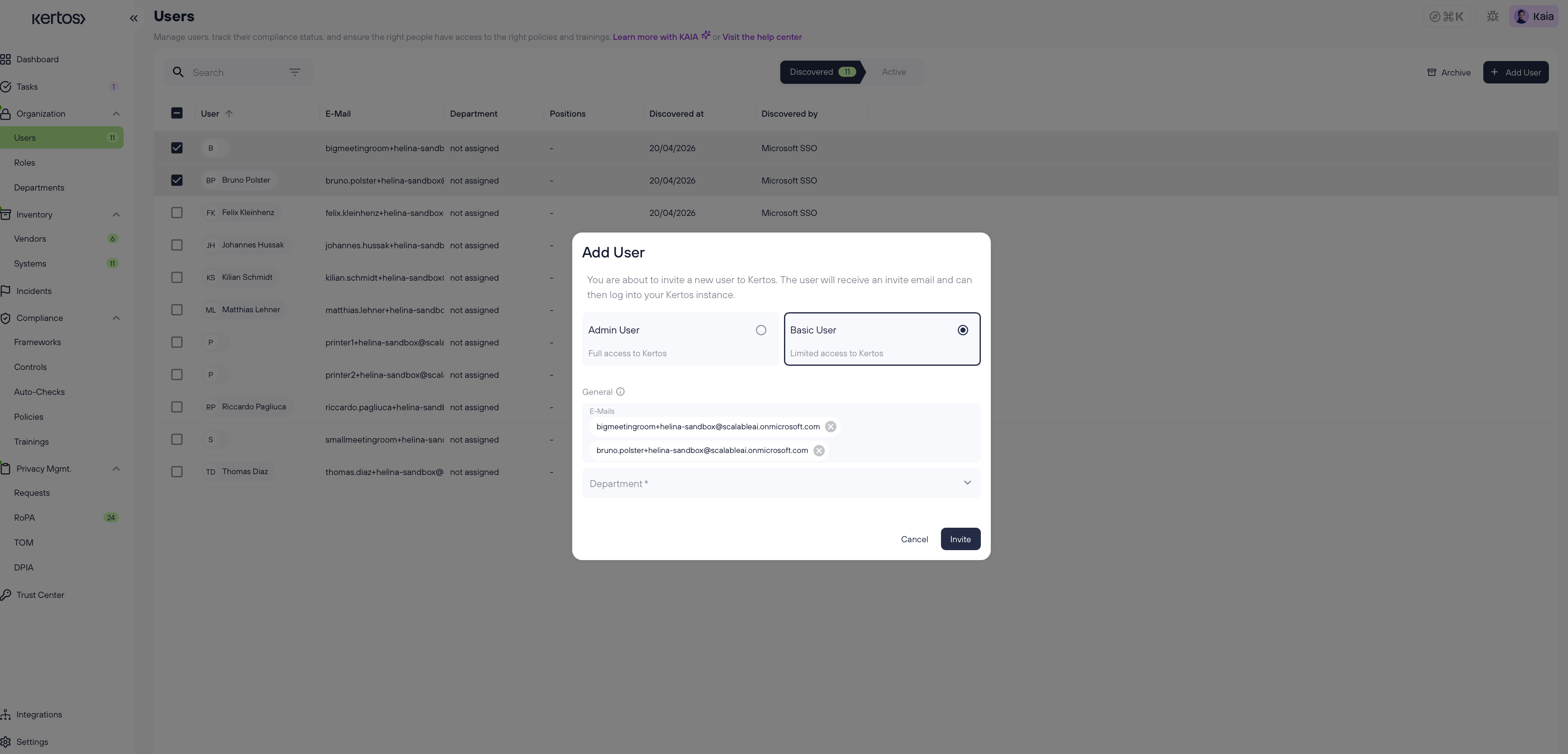
The invite dialogue will open. Choose whether the user will have Admin User (full access to Kertos) or Basic User(limited access to Kertos) access. Add additional information such as department (mandatory) and review the pre-filled e-mail addresses.
Click Invite. The user will now receive an invitation with a link to finish the sign-up autonomously.
Important: You can resend invitations by going to the Active tab, selecting the user, and then clicking on Resend invite that appears at the bottom of the screen.
Manually
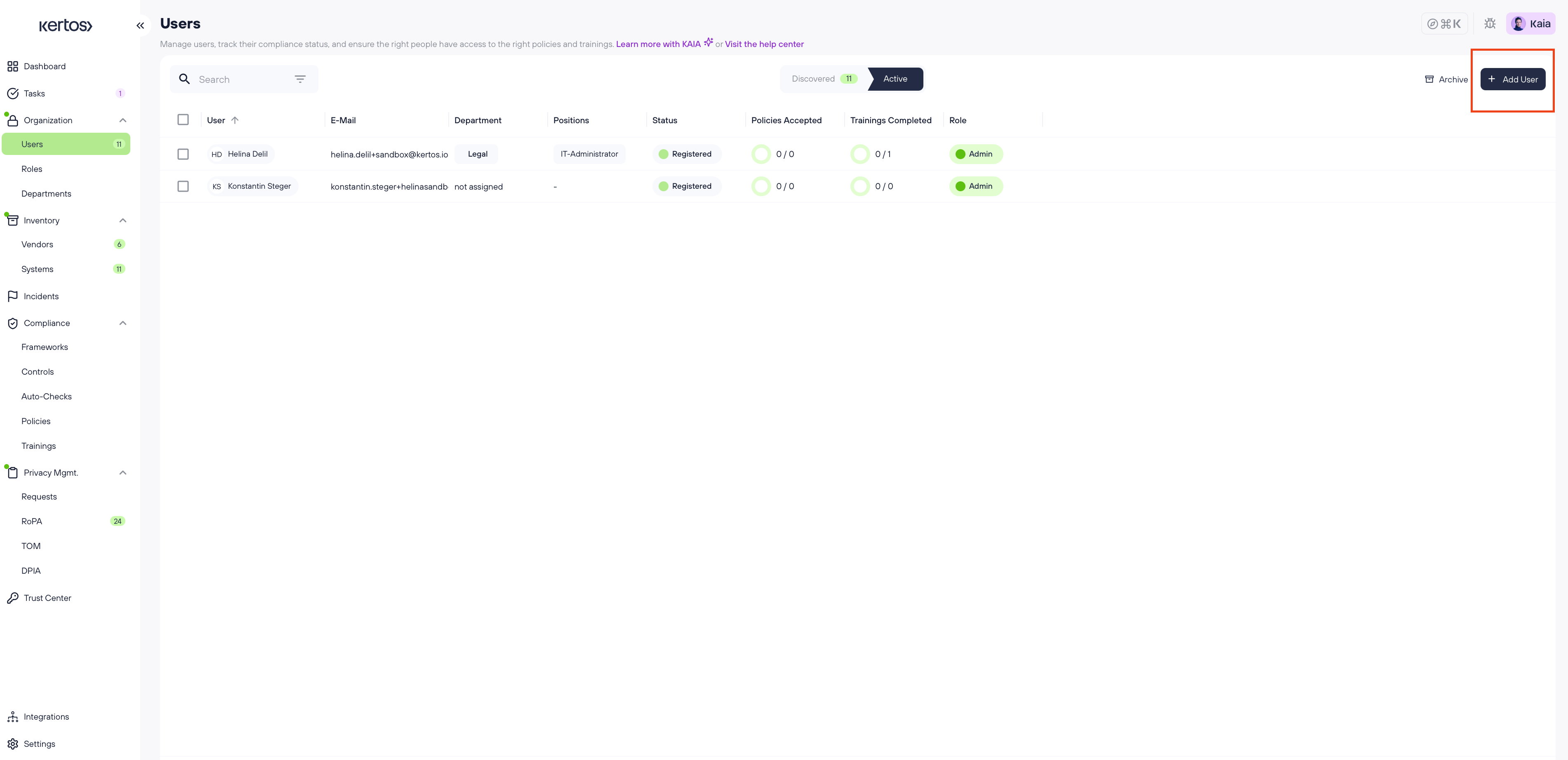
In the user overview, click + Add User in the top right corner.
The same invite dialogue as described above will appear. Choose between Admin User and Basic User access, enter the user's e-mail address(es), and select a department.
Click Invite. The user will now receive an invitation with a link to finish the sign-up autonomously.
Important: You can resend invitations by going to the Active tab, selecting the user, and then clicking on Resend invite that appears at the bottom of the screen.
Mail template for notifying your employees about invites from Kertos
If you want to inform members of your organization about Kertos and why they just received an invite to login on the platform, feel free to use this mail template (don’t forget to customize it):
Subject: Introducing Kertos as our new compliance partner

Dear colleagues,
I would like to inform you today about an important change in our company.
As of <DATE>, Kertos GmbH is our official partner in terms of compliance / has been officially appointed as our external data protection officer (website: https://kertos.io/de/).
Kertos will support us on compliance topics in the future. This includes the provision of their platform, Kertos OS. This platform will enable us to comply with our compliance obligations, largely by automated means. It also serves as a single source of truth for all documentation in this area, such as vendor management, record of processing activities and, for example, the documentation of controls and associated risks. Another important feature of the platform is the provision of compliance training courses, which will once again refresh our knowledge of data protection law/ISO.
In the coming weeks, you will therefore receive your access data for the Kertos platform via email. This will be followed by invitations to the respective training courses.
If you have any questions about information security / data protection issues in the future, Kertos GmbH is now at your disposal. You can contact them at the following e-mail addresses: infosec@kertos.io and dataprivacy@kertos.io.
We look forward to working with Kertos GmbH and are convinced that this partnership will make a significant contribution to strengthening our compliance management. Please take advantage of the upcoming opportunities to expand your knowledge and ensure that we as a company meet our  obligations and are compliant in this regard.
If you have any questions about the new platform or the training courses, please feel free to contact me or Kertos directly.

Best regards,
Name