Company settings
Manage your Company settings
The Company tab contains organization-level information that helps Kertos reflect your company context and operational setup.
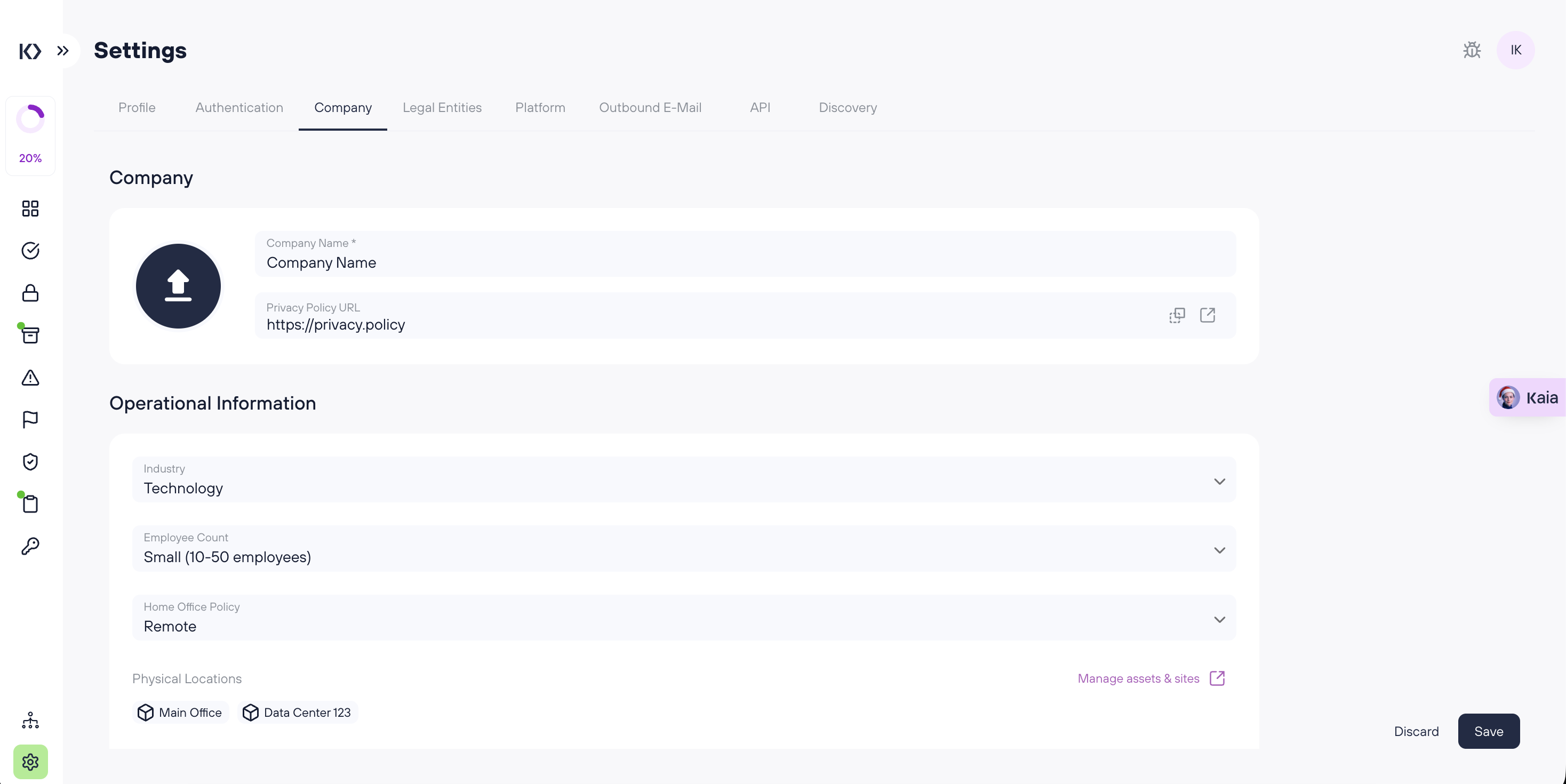
Company details
Company name
Set the official name of your organization as it should appear across the Kertos platform.
Privacy Policy URL
Add a link to your company’s public Privacy Policy.
Operational information
Industry
Select your company’s industry from the dropdown list. This helps categorize your organization context within Kertos.
Employee count
Choose the size of your organization:
- Micro (1-10 employees)
- Small (10-50 employees)
- Medium (50-250 employees)
- Large (>250 employees)
Home office policy
Define your working model:
- Onsite
- Hybrid
- Remote
Physical locations
Physical locations
This section displays your company’s locations only if you have Sites assets in the Assets section.
- If you already have Sites assets, they appear here as your physical locations.
- If you don’t see any locations listed, it usually means no Sites assets have been created yet.
For more details, see: https://docs.kertos.io/en/article/assets
Technologies in use
Technologies in Use
Use the checkboxes to indicate which technologies your organization relies on:
- VPN
- Cloud Only
- On-Premise Servers
- Mobile device management (MDM)
Keeping this accurate helps Kertos reflect your operational environment.
Frequently Asked Questions (FAQs)
Who can edit the Company settings?
Only Admin users can change organization-level settings.
Why don’t I see any Physical locations?
Physical locations are shown only when Sites assets exist in Assets. Add assets with the Sites category to have them appear here.
Can I select multiple technologies in “Technologies in Use”?
Yes. You can check all options that apply (e.g., both VPN and MDM).