
Legal Entities settings
Manage your Legal Entities
The Legal Entities tab helps you document the legal structure of your organization and ensure the right people are assigned to compliance and security-related responsibilities.
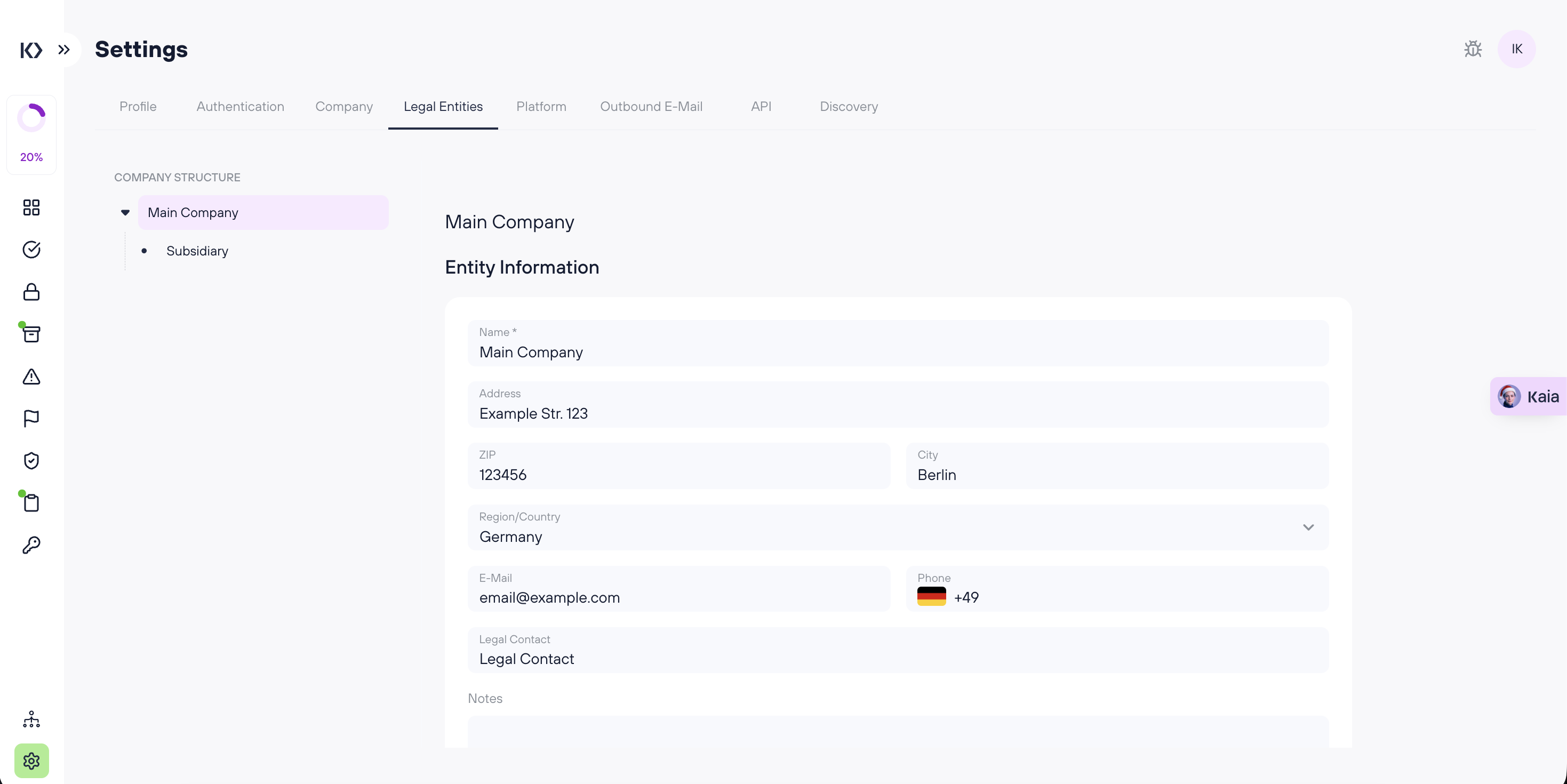
Entity overview and subsidiaries
On the left side, you’ll see the name of your main legal entity.
- Hover over the entity name to reveal a “+” button.
- Click “+” to create a subsidiary under that legal entity.
This is useful if your organization operates under multiple legal entities (e.g., parent company + subsidiaries).
Entity information
For each legal entity, you can store and maintain the following information:
- Name
- Address
- ZIP
- City
- Region/Country
- Phone
- Legal Contact
- Notes
Keep these fields up to date to ensure accurate documentation and smoother compliance workflows.
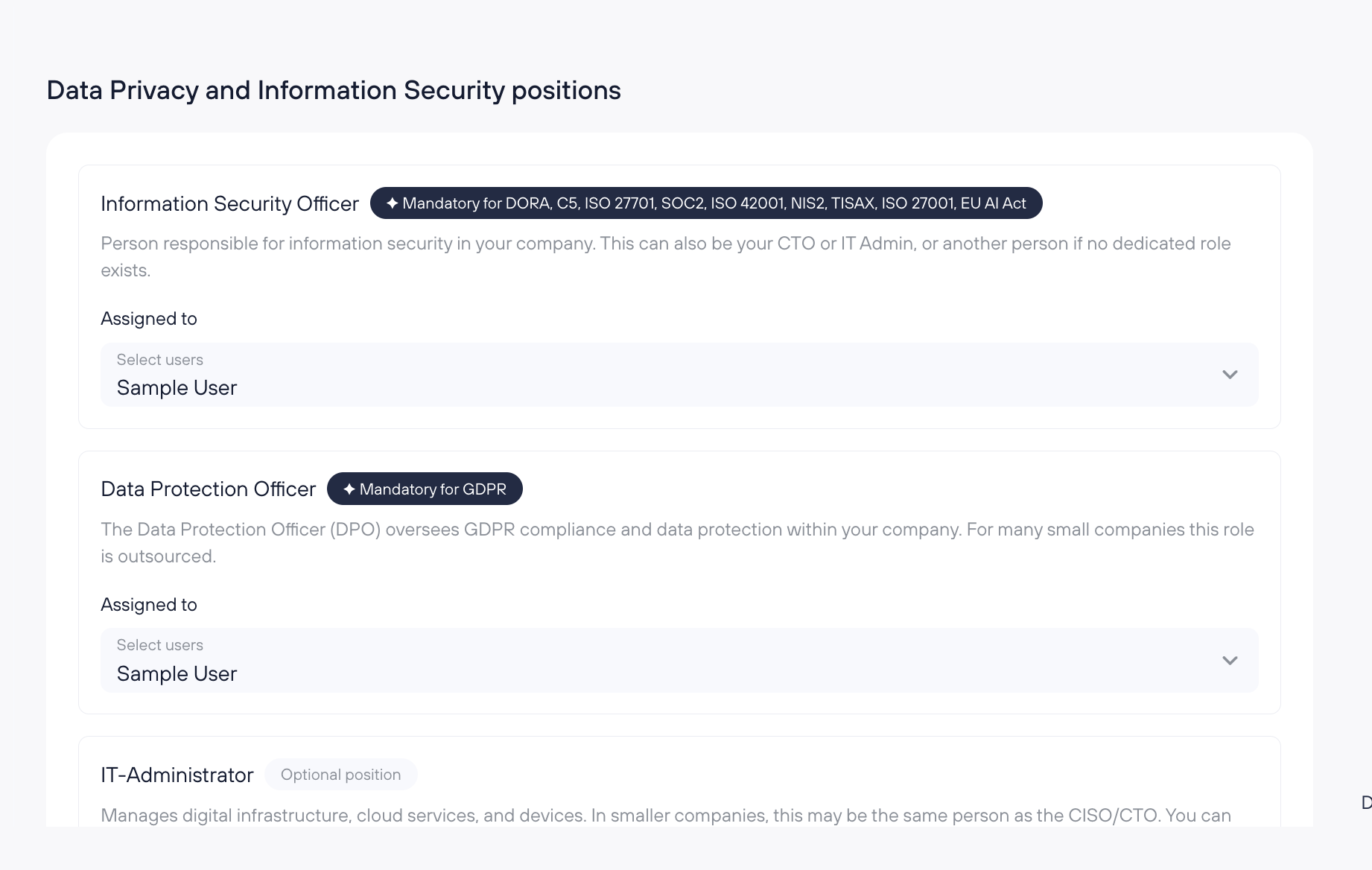
Data Privacy and Information Security positions
This section contains dropdowns that let you assign users from your company to specific privacy and security positions.
- You can only select from existing Users created in the Users section (see: https://docs.kertos.io/en/article/inviting-users).
- Some roles may not be available in your workspace depending on your framework subscriptions.
Role descriptions
Information Security Officer
The person responsible for information security in your company. This can be your CTO, IT Admin, or another responsible person if there is no dedicated security role.
Data Protection Officer (DPO)
The Data Protection Officer oversees GDPR compliance and data protection within your company. In many small companies, this role is outsourced.
IT-Administrator (Optional)
Manages digital infrastructure, cloud services, and devices. In smaller companies, this may be the same person as the CISO/CTO. If needed, you can assign a different role that best fits your organization.
Data Protection Authority
Name
Enter the name of your relevant Data Protection Authority (DPA).
Frequently Asked Questions (FAQs)
How do I add a subsidiary legal entity?
Hover over the main entity name in the left panel, then click the “+” button to create a subsidiary.
I can’t find a person in the role dropdown - why?
Only users that exist in Users can be assigned. Create or invite them first in the Users section.
Can the same person be assigned to multiple roles?
Yes - especially in smaller companies, it’s common for one person to cover multiple responsibilities (e.g., CTO as Information Security Officer and IT-Administrator).